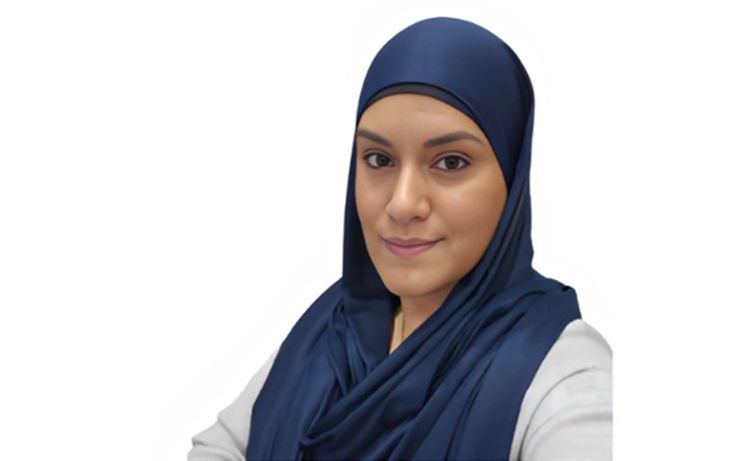
Zaitoon Bukhari
Part of the IT Leaders 100 - a list of the most influential IT leaders in the UK in 2026.
Zaitoon Bukhari is a forward-thinking Director of Digital dedicated to bridging the gap between robust infrastructure and transformative classroom experiences.
Specialising in the Google for Education ecosystem, she champions a human-first approach to technology, ensuring that digital tools serve as seamless extensions of pedagogical intent rather than hurdles.
With a strategic focus on simplifying complex estates and leveraging AI-driven innovation, she is an expert at removing technical friction to empower both educators and students.
A firm believer in radical alignment and agile leadership, she aims to turn the wires into the wisdom that defines modern learning
What's the most exciting part of your current role?
As the Director of Digital, my role sits at the crossroad of structural integrity and educational transformation.
The most exciting part of what I do, is the rare ability to bridge the gap between "the wires" and "the wisdom." I am not just managing servers; I am architecting the invisible nervous system of the Trust. There is a unique thrill in overseeing a project from its foundational infrastructure - ensuring the pipes are fast and secure - to the "lightbulb moment" where that technology becomes effective in the classroom.
Watching a complex digital strategy dissolve into the background so a teacher can facilitate a seamless, immersive lesson is where my impact becomes tangible. I see the big picture of data and hardware, but I measure success through the lens of human experience.
Turning raw technical capacity into pedagogical power is a creative challenge that keeps the role dynamic. I'm not just providing tools; I'm expanding the boundaries of what's possible for both educators and students.
What do you do in week one of a new project to avoid pain in month six?
To avoid month six misery, week one must be about radical alignment and rigorous boundary-setting. The goal isn't to start building; it's to ensure everyone is building the same thing.
- Define the Definition of Done The biggest source of mid-project pain is scope creep. In week one, you must document not just what the project is, but explicitly what it is not. Establishing a firm No-Go list now prevents expensive feature-bloat later.
- Identify the Single Source of Truth Decide immediately where documentation, decisions, and data will live. If communication is scattered across email, Slack, and informal chats, you'll spend month six excavating lost context. Centralise it now to ensure accountability later.
- Surface the Skeletons Run a Pre-Mortem. Ask the team: "It's six months from now and the project has failed. Why did it happen?" Identifying technical debt, resource gaps, or stakeholder silos on day four allows you to build mitigations into the roadmap before they become crises.
- Establish the Cadence Set the rhythm for feedback loops. Month six hurts when "minor" misunderstandings have had 24 weeks to compound. Short, honest check-ins ensure that course corrections are small nudges rather than emergency pivots.
What’s the part of your estate you most want to simplify in 2026?
In 2026, the most critical target for simplification is the Legacy Layer. That tangled web of disparate systems, outdated hardware, and fragmented software licenses that have accumulated over time. As a Director of Digital, this technical debt is the invisible friction slowing down every classroom innovation. The goal is to move toward a unified, cloud-native ecosystem.
Simplifying the estate means:
- Consolidating Platforms: Moving away from multiple tools do the same job, and instead focusing on a single, high-performance suite that integrates seamlessly.
- Infrastructure as Invisible Service: Transitioning remaining on-premise headaches to scalable cloud solutions. This shifts the team's focus from "keeping the lights on" to strategic educational support.
- Data Interoperability: Breaking down silos so that student data flows securely and intuitively between systems without manual intervention.
By stripping back these complexities I am aiming to not just clean up a spreadsheet, but reclaim bandwidth - both technical and human. A simplified estate ensures that when a teacher interacts with technology, it feels like an extension of their intent rather than a hurdle to overcome.
Excluding smartphones, what piece of technology could you not live without and why?
Aside from a smartphone, the piece of technology I could not live without is the Chromebook. As a Director of Digital, I see it as the Swiss Army Knife of educational infrastructure - it is the bridge between complex backend systems and meaningful classroom impact.
The Chromebook is so versatile. In a single school day, the same device serves as a research station, a creative media suite, and a collaborative workspace. As it is cloud-native, it eliminates the tech friction that kills a lesson's momentum; it loads in seconds, meaning the focus remains on pedagogy rather than troubleshooting.
From an infrastructure perspective, its simplicity is its greatest strength. Its stateless operating system allows any student to pick up any device, log in, and find their entire digital world exactly as they left it.
In 2026, with the integration of Gemini AI, these devices have evolved from simple browsers into proactive teaching assistants, capable of summarising complex texts or generating creative prompts instantly. They are the ultimate democratisers of technology - rugged enough for the playground, powerful enough for the curriculum, and essential for a modern estate.
What excites you most about the future of IT?
What excites me most is the shift from technology being a tool we use to a partner that understands us. In our Google for Education and Chromebook ecosystem, we are moving past the era of searching for information and entering the era of intelligent synthesis. The integration of Gemini AI across Workspace is the true game-changer.
I'm energised by the prospect of Adaptive Pedagogy at scale. Imagine a Chromebook that doesn't just display a worksheet, but actively adjusts its language complexity or provides real-time scaffolding based on a student's specific hurdles - all while giving teachers a high-level dashboard of where the class is stuck before the lesson even ends.
From an infrastructure perspective, the future is about radical simplicity. We are reaching a point where the "IT" part of "IT Director" becomes invisible. When the ecosystem is this unified, my role shifts from managing hardware to orchestrating experiences.
We are building a world where the distance between a student's curiosity and their ability to create - whether through AI-assisted coding, 3D modelling, or global collaboration - is virtually zero. That frictionless path to "Aha!" moments is what keeps me leaning in.
What talent are you quietly proud of that would never show up on LinkedIn?
I am quietly proud of my ability to read the room and translate dense technical friction into simple, human stories. I have a knack for spotting the silent frustration of a teacher who is overwhelmed by a new update before they even say a word. It's an intuitive, empathetic layer of my role that doesn't fit into a bullet point about "Cloud Migration."
Beyond the office, I'm an expert at pattern recognition in the mundane. Whether it's organising a chaotic kitchen pantry with the precision of a server rack or navigating a complex travel itinerary without checking a map, I find a strange, meditative joy in creating order out of hidden chaos.
It's the Director of Digital brain applied to real life - finding the most efficient, frictionless path through a busy day. It's a talent for quiet orchestration that ensures everyone around me feels supported, even if they never realise I'm the one pulling the invisible strings.
What’s your most-used keyboard shortcut or command that you wish everyone knew?
While many live and die by Ctrl + C, the shortcut I wish everyone mastered - especially in a Google-centric estate - is Ctrl + Shift + V (paste without formatting).
In my role as Director of Digital, I constantly move text between technical specs, Google Docs, and slide decks. Standard pasting is a nightmare of mismatched fonts, erratic font sizes, and "ghost" HTML styling that breaks a clean layout.
Ctrl + Shift + V is the ultimate digital cleanser. It strips away the baggage of the source material and forces the text to adopt the styling of its new home. It's the difference between a professional-looking document and a chaotic patchwork.
For the Chromebook power users, I'd also advocate for Search + V. This opens the Clipboard Manager, showing your last five copied items. In a fast-paced environment, the ability to multi-copy across tabs without flipping back and forth is a massive cognitive win.