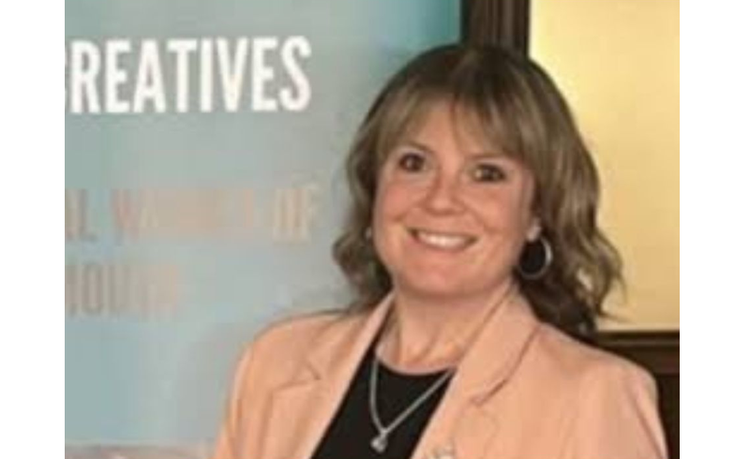
Gemma Gwilliam
Part of the IT Leaders 100 - a list of the most influential IT leaders in the UK in 2026.
Gemma is a multi‑award‑winning digital leader (including a Computing IT Leader 2025), specialising in purposeful, inclusive technology across education. She leads "Portsmouth's Digital City" Project, the DfE's RISE Universal SE Digital Partnership (supporting 19 local authorities), the Walsall&Beyond Cluster and many other trusts and schools.
With lived experience of Dyslexia and ADHD, Gemma champions accessible, equitable digital practice. She is skilled at driving transformation that improves learning, reduces workload and builds confident digital cultures.
Gemma has experience delivering large‑scale strategies, cloud migration programmes and digital inclusion initiatives with proven city‑to‑national impact.
What's the most exciting part of your current role?
Seeing a project that began as a small, local idea evolve into something with genuine national and increasingly global influence. As Head of Digital Learning, Education and Innovation, I now not only lead the PtDC, but support 19 local authorities through the DfE's RISE SE Digital partnership, as well as leading the Walsall & Beyond cluster.
Watching other regions adopt and adapt our Portsmouth model is incredibly energising. What hasn't changed is the heart of the work: purposeful digital transformation that improves lives. Whether I'm working with senior leaders, co-designing solutions with teachers, or running AI workshops with children, the excitement always comes from seeing people empowered.
A highlight this year has been using AI with young people. Seeing them use AI to create, communicate and express themselves in new ways is genuinely inspiring. This role is never about shiny tools or chasing trends. It's about helping everyone choose the right tool for the right outcome, for them, in that moment in time, and making sure digital inclusion runs through everything we do. That purpose and the real human impact is what still gets me out of bed every single day.
What do you do in week one of a new project to avoid pain in month six?
I focus on clarity, relationships and alignment. The PtDC is a heart led project and so for me, every successful project starts with shared understanding and including all members of our community. I bring everyone together including leaders, teachers, technical teams, young people, and of course our families too, to codefine the purpose, outcomes and vision for the school, community or region. If we're not aligned at the start, pain is guaranteed later.
I also map what already exists. Education is full of brilliant practice, and too many projects fail because they reinvent the wheel instead of building on strengths and making use of what we have already. Understanding the current position early prevents duplication, confusion and wasted time, resources and budgets.
Finally, I make sure we establish simple actions and plans including who decides what, how we communicate and when we check impact. It sounds basic, but these things stop projects drifting or becoming overcomplicated. Week one is all about solid foundations. If you get the human side, the purpose and the structure right early on, month six becomes a milestone and not a headache.
What’s the part of your estate you most want to simplify in 2026?
I want to simplify our device landscape. Like many regions, we're juggling ageing hardware, mixed operating systems, tight budgets and rising expectations around access. Too many schools still rely on devices that can't upgrade to Windows 11, and maintaining equity across our citywide estate is becoming increasingly challenging.
Simplifying doesn't mean limiting choice it means ensuring the tools we do have are sustainable, secure and purposeful. Strengthening our approach to refresh planning, affordable models and citywide procurement will reduce complexity and make sure we're investing in technology that genuinely supports learning.
Ultimately, I want every school to feel confident in selecting the right tool for the right outcome for their staff and pupils, without being overwhelmed by options, obsolescence or cost. If we can streamline systems while keeping inclusion at the centre, we'll free up time, money and headspace for what really matters: improving outcomes for all.
Excluding smartphones, what piece of technology could you not live without and why?
AI, but in a totally different way to last year. In 2025, AI was primarily a leadership and workload tool for me. In 2026, it has become a creative, collaborative and inclusive tool for the entire city and beyond. This year we've been working directly with young people to help them use AI to communicate, problem solve and create.
Seeing children who struggle with writing suddenly express complex ideas through multimodal AI has been transformative. It's no longer just a productivity tool it's an accessibility tool, a creativity tool, and in many cases, a confidence tool. AI also continues to support adaptive learning in maths and literacy, reduce teacher workload and streamline leadership decision making.
But what I couldn't live without now is its ability to level the playing field: personalising learning, removing barriers and giving every child a voice. Used thoughtfully, AI is a scaffold not a shortcut. And that's why I rely on it every day.
What excites you most about the future of IT?
The potential for technology to become a true part of our everyday lives: giving every young person the tools to communicate, collaborate and create, no matter their background or starting point. The future of IT isn't about speed or scale; it's about equity. We're entering a phase where technology can act as a scaffold, amplifying human potential rather than replacing it.
For children with additional needs, barriers that once felt immovable are disappearing. For families, digital tools are closing gaps in understanding and confidence. And for educators, we're finally moving beyond "tech for tech's sake" toward purposeful, accessible solutions.
The pace of innovation is incredible, but what excites me more is the imagination of young people. Their ideas, creativity and willingness to explore are shaping what comes next. If we give them the right tools, the right training and the right trust, they'll build things we can't yet imagine. The future of IT is human-centred, inclusive and full of possibility and being part of that journey still feels like a privilege.
What talent are you quietly proud of that would never show up on LinkedIn?
Last year, I stepped completely out of my comfort zone and competed in Strictly Against Cancer. After only 12 weeks of training, I performed a solo, a tap duet and a group routine and to my absolute shock, I won. Together with my dance partner, we raised over £2,000 for Rugby Against Cancer and as a team, I think nearly £10,000 whilst helping raise awareness of a brilliant charity doing essential work.
It was joyful, exhausting, slightly chaotic and one of the most uplifting things I've ever done. I don't think I'd ever turn to performing, but the experience reminded me how powerful community, creativity and courage can be. And honestly nothing builds resilience quite like performing in your tap shoes in front of hundreds of people!
What’s your most-used keyboard shortcut or command that you wish everyone knew?
The shortcuts I wish everyone knew and used are the Windows accessibility commands (and of course Chromebook equivalent). They're simple, powerful and genuinely lifechanging for so many people. My most used is Windows + H for Dictation. As someone with dyslexia and ADHD, it's a gamechanger. It removes the barrier of getting ideas out of my head and onto a page and it's something I teach children and adults across the city to use confidently. When you watch a child who struggles with writing suddenly express themselves freely through voice, it's magic.
I also rely on Windows + Ctrl + Enter to launch Narrator, and Windows + U to open the full Accessibility Settings instantly. These shortcuts aren't just features, they're tools for equity. They help learners read, write, navigate, communicate and participate more independently.
I talk a lot about "choosing the right tool for the right outcome," and accessibility shortcuts are the perfect example. They're already built into the devices schools have at no extra cost, no extra software, just incredibly powerful support at the touch of a keyboard. If everyone knew these existed, far more people could access technology on their own terms.