Samsung’s newly updated Q330 Intel Core i3 dual-core processor-based laptop is a decent performer, but is still lacking in certain areas.
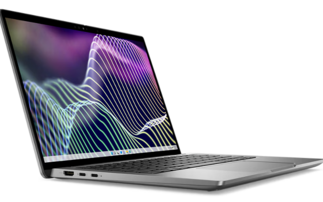
Launched in March and costing £599 inc. VAT, the Q330 is one of Samsung’s ‘thin and light’ range. But, at 26mm, it is not particularly thin, nor is it particularly light, weighing about 2kg to 2.4kg with the AC adaptor attached. Our definition of 'thin and light' is something about 15mm thick and weighting about 1.5kg.
However, it does have decent performance for what is ostensibly a lower-end laptop using one of Intel’s slowest Core i-Series processors, the i3. In fact, for normal business tasks, we couldn't detect any lack of performance with the office productivity applications, such as LibreOffice which we used during our review.
Specifications
The Q330 measures 329 x 230 x 26mm and our review model was silver inside and black on the outside.
The earlier model launched July 2010 had 3GB of memory running under Windows 7 Home Premium powered by an Intel Core-i3 350M processor clocked at 2.26GHz.
The uprated Q330 has an Intel 2.53GHz dual-core 380M processor and 4GB of 1066MHz DDR3 system memory contained in two So-DIMMS.
A maximum of 16GB of memory could be installed using 8GB memory modules and a single screw allows access to do this.
The glossy, 16:9 aspect ratio 13.3in screen is quite good and the thick screen bezel gives it a solid feel.
Along the top, in the middle of the screen bezel, is an SCB-0350M web camera, but we felt the resolution was too low for a laptop costing £600 minus a penny.
Intel's Graphics Media Accelerator (GMA) HD chipset provides graphics for the Q330, giving a maximum resolution of 1366 x 768 in 32-bit colour, although this graphics subsystem shares 1.6GB of system memory to perform its duties, according to the graphics properties in the control panel, which is a significant proportion of the 4GB.
The LAN adaptor is a Marvell Yukon 88E8040 10/100Mbit/s fast Ethernet connection. This is a slightly odd choice – and a low spec one – since most other laptops have a gigabit Ethernet LAN connection as standard.
Wireless connectivity is taken care of by a Broadcom 802.11n adaptor and it sports the latest iteration of Bluetooth version 3.0, provided by a Broadcom BCM2070 system.
The 320GB HM321HI SATA hard disk gives data transfer rates of 87MBits/s for both sequential reads and writes.
It was nice to see that the hard disk was partitioned into two areas, one for the Windows OS and one for storing data before backing up off the laptop onto external storage.
Ports and connections
On the left-hand side of the Q330 are headphone and microphone jacks, a USB 2.0 port, HDMI port, LAN connection, VGA adaptor and AC power connector.
On the right-hand side there is a Kensington security slot, two extra USB ports and a TSST Corp TS-U633J DVD burner. There's also an SD card slot on the front of the system, just below the blue LED system indicators in front of the trackpad.
The USB port on the left side is a 'sleep-and-charge' port, allowing users' mobile devices (phone, media player) to charge while the laptop is turned off and still connected to the AC adaptor, or in 'sleep mode'.
However, this facility is turned off by default and needs enabling in the options accessible by pressing F2 during the boot sequence, or using the desktop application installed on the Q330.
Applications
There aren’t many applications installed as standard. A subscription to McAfee's Security Center anti-malware platform is installed, as is CyberLink's DVD Suite, software to run the onboard web camera and comms program Skype.
But there are plenty of free open source office productivity and media applications available on the web. We installed LibreOffice 3.3, the VideoLAN VLC media player and eRightSoft’s SUPER media conversion system.
The Q330 will suit users who don't like netbooks because of their occasional lack of performance and tiny keyboards.
The Q330's keyboard is decent one, allowing you to type quite fast even though the key travel (how far you can depress the keys) is short. The keyboard is an 'island' design which helps keep the main body of the laptop neat and clean [see picture].

Battery Life
The Q330 has a six-cell 5.9Ah (66Wh) Li-ion battery, above average for this type of laptop. The battery has a Smart Calibration option making battery life messages more accurate. The feature can be accessed through the boot options.
There's another battery option accessible through the boot options – a Battery Lifecycle Extension feature. It's disabled by default, but when enabled this feature charges the battery to 80 per cent rather than the full 100 per cent in an effort to prolong the Li-ion battery's life.
We checked the battery life in several ways. In the first instance, the screen wasn’t allowed to dim and system devices such as the USB port and Wi-Fi card were not allowed to turn off.
With these settings we recorded a lifetime of one hour and 36 minutes. This was using the Battery Eater program on the ‘classic’ test.
We also tried the Imtec battery life program (v1.1) using the setting in which all four processors have CPU utilisations of 100 per cent. This resulted in a battery life of two hours and five minutes.
The other method adopted was to use the system during a standard eight-hour work day with a standard power savings setting, a test giving a much better indication of the battery life.
We recorded a battery life of about five hours, even with hard graphics and disk usage [see picture].

Performance
To check the Q330’s performance, we used PassMark's PerformanceTest version 7.0 software (64-bit version). While we didn't expect stellar performance from the latest Intel Core-i3 processor, it didn't perform too badly against an older Dell Optiplex 980 desktop 64-bit desktop and it even managed to outperform our even older labs 32-bit Core 2 Duo laptops.
System recovery
As well as a 20GB recovery partition from which users can recover the system to factory settings, Samsung has provided a system imaging utility which is much easier to use and less hassle than the intrinsic backup and recovery provided by Windows 7, which requires users to insert the OS disc at start up to restore an OS image [see picture].

We could image the system using this backup and recovery program in 25 minutes with a compression ratio of 2.5:1. Imaging back to a saved state took 15 minutes.
If users need to image back to factory default settings, just pressing the F4 button when the boot process begins will fire up the recovery process; this takes 35 minutes.
It's very automated and requires little user attention to complete properly, although users will have to re-patch the system with all the Windows Updates that have been released since the initial factory image was installed. It took us around 90 minutes to do that.
Conclusions
Although not primarily a business model, the updated Samsung Q330 has facets which could tempt such users.
For example, it now runs Windows 7 Professional instead of the Home Premium version and has decent system backup and recovery options.
But we'd expect to see USB 3.0 finding it's way onto systems like this, as well as gigabit Ethernet on board as well.