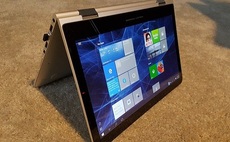
The Algiz 7 is a semi-ruggedised tablet PC manufactured by Swedish firm Handheld Group that is designed to withstand moisture, shock, temperature and vibration. In the UK it is available from rugged mobile PC distributor Mobexx.
How much abuse can it handle? Well, compliance with the the US Department of Defense MIL-STD-810G standard means the Algiz 7 can operate in temperatures ranging from -23C to 60C, has a storage temperature range of -40C to 70C, and a certified resistance to being dropped from four feet onto concrete.
The Algiz 7 also has an Ingress Protection (IP) rating of 65, which signifies complete protection against dust ingress, and protection against water directed at the casing equivalent to 12.5 litres of water per minute from three metres for three minutes.
This all means the device can look after itself in a range of challenging environments, such as construction, field service, manufacturing, military and warehouse.
Hardware specifications
The 242 x 144 x 40mm Algiz 7 tablet tips the scales at 1.1 kg, and is protected by rubberised buffers at the enclosure corners, on top of the bezel and underneath on the battery packs.
Our review model had an Intel 1.6GHz Atom Z530 processor, with the maximum 2GB of DDR2 533MHz system memory contained in a single SoDIMM. To access the SoDIMM four screws have to be removed from a panel on the underside of the system.
The 16:9 aspect ratio 7in 4-wire resistive touch-screen display has a maximum resolution of 1024 x 600 driven by the onboard Intel Graphics Media Accelerator (GMA) 500, which uses 768MB of system memory, reducing the usable memory to about 1.25GB.
The MaxView screen is sharp and bright, even in intense sunlight, and is readable even when viewed obliquely.
All the ports – audio-in and audio-out jacks, a gigabit LAN port, an RS232 COM port, two USB 2.0 ports and the DC power jack – are located in four sealable bays, two on either end of the device.
The device boasts a 60GB solid state drive (SSD), which in tests gave a sequential read and write of 59MB/s and 31MB/s using ATTO technologies disk benchmark.
The Algiz 7 is well endowed with network connections, having a Realtek PCIe GBE gigabit LAN, an 802.11b/g/n wireless LAN USB mini-card, a Broadcom Bluetooth (v2.1) radio and a 3G-capable Sierra Wireless Gobi 2000 Mobile Broadband 9001 device.
The SIM required for the 3G system clips into a slot at the back of the device, under the WLAN card. To get into the SIM bay, a four-screw panel has to be removed. There are also four attachment points for users to clip in aerials for specific wireless connections.
While connecting an RJ45 LAN cable was easy, unclipping it was less so due to lack of space between the port bay, and the plastic retaining clip.
It also has a GPS system running under MediaTek’s Mini GPS (v1.41) software.
Software
The Algiz 7 ships with no application software, just a blank Windows 7 Ultimate operating system and hardware specific pre-configured applications including, for example, software to drive the GPS, 3G, and touch-screen hardware.
Usage
The Algiz 7 is not particularly heavy, but it has a carrying strap anyway. There are five LEDs on the bezel next to the screen for power status, hard drive status, wireless status and two indicating charge level for the two batteries.
The 10-button touchpad, just below the LEDs, switches the device on, and is used for menu and application navigation – Menu, Up, Down, Left, Right, and OK. At the bottom of the pad arranged vertically are three function buttons, F1, F2, and F3, which can each be used as two configurable hot keys depending on whether you press them for a short or longer period.
Hitting the menu key cycles through five attributes – screen brightness, audio volume, batteries status and network connection status.
For running applications the Algiz 7 has a neat cord-attached stylus that clips under the enclosure, and in practice this was accurate and performed well.
Battery life
The device has two 2.6Ah Li-polymer batteries that clip easily into the back, and it consumes between six and nine watts.
We recorded a battery life of about 3 hours 30 minutes when the tablet was used continuously. However, the Algiz 7 is not really designed for continuous work and in the real world is likley to be regularly clipped into a vehicle-mounted docking cradle.
Charging up the Algiz 7 takes anywhere between two to three hours depending on whether it is shut down or in use while charging.
Options
Optional extras for the Algiz 7 include a 12V vehicle charger, a pole mounting system and a vehicle docking station that has connections for DC power, two USB 2.0 ports, two RS232 ports, a 10/100Mbit/s RJ45 LAN connector and holes for video electronics standard association (VESA) mounting. There isn't an optional keyboard, although users could attach a USB keyboard.
Conclusion
A neat semi-ruggedised tablet PC designed for challenging work environments. The battery life is OK, given the discontinuous nature of off-site workloads, and the screen is good.